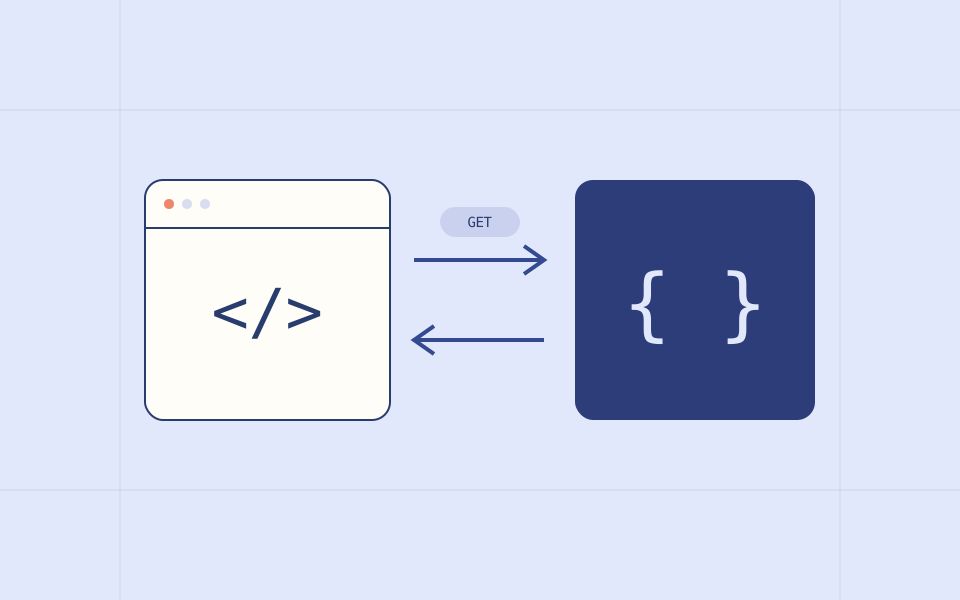
Imagine opening an order in an application. The screen needs information it does not currently have. An API is the agreed way for one piece of software to ask another for that information or request an action. The screen and the service can change independently as long as both follow the agreement.
A request has a destination and a purpose
A web API request usually identifies a destination, a method, and any extra information the service needs. The destination names the resource. The method describes the intended operation. Headers can carry context such as the format expected or an authorization token.
A request body carries submitted data when the operation needs it. Do not assume every request has a body or that every API uses the same conventions.
GET /orders/42
Accept: application/json

Example response:
{ "id": 42, "status": "confirmed" }The server still makes the decision
A button being visible is not proof that a user has permission. The server must check who is making the request and whether the requested action is allowed. Values arriving from a screen should be treated as input to validate.
This matters when you build an integration. A screen may show an old order state while another employee has already changed it. The service can refuse a change that no longer makes sense.
A response needs interpretation
A network error leaves an important question: did the service receive the operation? Repeating a read is different from repeating an action that might create an order. Design retries around the operation, not around a generic retry button.
- Check whether the operation succeeded before using the returned data.
- Distinguish a missing resource from missing permission.
- Show a useful loading state while waiting.
- Explain errors in language the person using the screen understands.
Read the agreement before coding
For an unfamiliar API, look for its authentication rules, request examples, response shape, error behavior, and pagination. Check how it handles repeated submissions and which fields are optional.
Build the smallest successful request first. Then test an invalid input and an unauthorized request. Understanding those boundaries is more useful than connecting every screen at once.